

Vuexy - Bootstrap 5 HTML Admin Template
Most Powerful & Comprehensive Bootstrap 5 HTML Admin Dashboard Template built for developers!
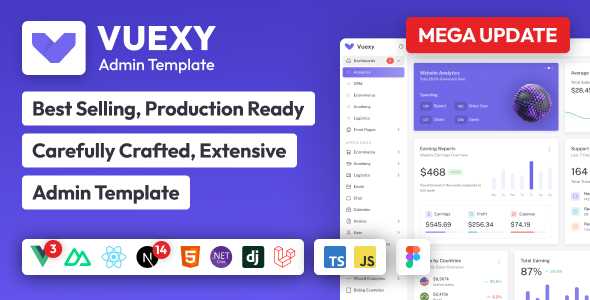
Introduction
Vuexy – HTML Admin Dashboard Template – is the most developer-friendly & highly customizable Admin Dashboard Template based on Bootstrap 5.
If you’re a developer looking for an admin dashboard that is developer-friendly, rich with features, and highly customizable look no further than Vuexy. We’ve followed the highest industry standards to bring you the very best admin template that is not only fast and easy to use but highly scalable. Offering ultimate convenience and flexibility, you’ll be able to build whatever application you want with very little hassle.
Build premium quality applications with ease. Use our innovative admin template to create eye-catching, high-quality WebApps. Your apps will be completely responsive, ensuring they’ll look stunning and function flawlessly on desktops, tablets, and mobile devices.
Installation ⚒️
Please visit our docs for installation guide.
Documentation 📜
Check out our live Documentation
Support 👨💻
We use Product purchase code as support tickets to manage Item support.
Make sure you use our Support Portal to create a support ticket.
Why forking is disabled? 🔒
You will lose repository access when your support expires. If you have forked the repo and you lose the access to our repo then your fork also got deleted by GitHub.
Hence, as precautions we disabled forking our repo.
Solution
However, you can still keep your repo even after your support expires by setting our repo as upstream:
- Create a new private repo in your GitHub. Make sure it's a private repo. You can't share our code publicly as per license.
- Clone our repo:
git clone https://github.com/pixinvent/vuexy-html-admin-template.git - Navigate to cloned directory
- Remove our repo as origin by running command:
git remote remove origin - Add your newly created repo as origin by running command:
git remote add origin YOUR_NEWLY_CREATE_REPO_GIT_URL - Add our repo as upstream by running command:
git remote add upstream https://github.com/pixinvent/vuexy-html-admin-template.git - Push the code to GitHub by running command:
git push -u origin main
Now, whenever you want to pull the latest changes from our repo just pull the changes by running command: git pull upstream main
Cheers 🥂
Contributing 🦸
Contributions are always welcome and recommended! Here is how:
- Clone our repo
git clone https://github.com/pixinvent/vuexy-html-admin-template.git - create a new branch based on branch you want to make Pull request to. For example if you want to make pull request to main branch, create new branch based on main branch.
- Push your changes to new branch
- Create pull request
Contribution Requirements 🧰
- When you contribute, you agree to give a non-exclusive license to PixInvent to use that contribution in any context as we (PixInvent) see appropriate.
- If you use content provided by another party, it must be appropriately licensed using an open source license.
- Contributions are only accepted through Github pull requests.
- Finally, contributed code must work in all supported browsers.